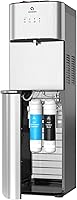
Brio Water Dispenser Not Dispensing Water: Fixes
If your Brio water dispenser is not dispensing water, start with the jug and the hot-water lock. Work through the checks in order, and contact Brio if none of them helps.
On this page (12 sections)
- Why is your Brio water dispenser not dispensing water?
- Which Brio model do you have?
- Is the jug empty or not seated?
- Did a jug change leave air in the line?
- Is the water flowing, just slowly?
- Are the power and temperature settings right?
- Is it only one temperature that won't dispense?
- Is the hot-water lock released?
- Is the spout clogged or dirty?
- How do you tell a dispensing problem from a leak?
- When should you contact Brio?
- What to do if your Brio water dispenser is still not dispensing water
If your Brio water dispenser is not dispensing water, the cause is often a simple one, so start there and work down. The checks below run from the easiest to the hardest.
Do the quick checks first, such as the jug, the lights and the lock. Unplug the unit before you reach into the cabinet or clean the spout.
Your model's manual covers the steps that are specific to your unit, so follow it whenever the steps differ from what's here.
Why is your Brio water dispenser not dispensing water?
The most likely causes are an empty or unseated jug, air in the line after a jug change, a power or temperature setting, a hot-water lock that isn't released and a blocked spout. Work through them in this order:
- The jug is empty or not seated.
- Air is in the line after a jug change.
- The flow is slow, not stopped.
- The power, lights or temperature setting is off.
- The hot-water lock is still on.
- The spout is blocked or dirty.
- Nothing helps, so you contact Brio.
Which Brio model do you have?
This guide covers three bottom-loading Brio models: the CLBL420V2 bottom-loading cooler, the 520 Series and the 130 Series. Brio makes other models, so find the model number in your manual before you start.
- Bottom-loading cooler, model CLBL420V2: three temperatures, a two-step child-safety lock on the hot spout, an LED empty-bottle alert, and a cabinet that fits 3- or 5-gallon jugs.
- 520 Series, model CLBL520SC: a UV self-cleaning feature, a night light, a child-safety lock on the hot tap and an empty-bottle alert.
- 130 Series, model CLBL130: hot, room and cold settings, a 1.5 liter per minute flow rate, indicator lights that show when hot and cold are ready, an empty-bottle alert and a 300-watt rating.
All three load from the bottom, so the checks in this guide apply to each one. If your model isn't in this list, the steps here may not match it, so follow your manual first.
Is the jug empty or not seated?
An empty jug or a jug that isn't fully seated is the first thing to check. Lift the jug only a little, check the level by sight, and slide it back in until it seats.
If the empty-bottle alert is on or the jug looks nearly empty, change it before you test anything else.
In most bottom-loaders, a pump moves the water up from the jug, so a poor jug connection can leave the spout empty once the water already inside runs out. Our guide to how a bottom-loading water dispenser works shows where each part sits.
Check the jug connection
Check that the cap or connector is on the jug as your manual shows. A loose connection can keep water from reaching the unit, so reseat it before you move on.
Use a jug the cabinet fits: 3- or 5-gallon for the CLBL420V2, and 5-gallon for the 520 Series and the 130 Series.
Did a jug change leave air in the line?
After a jug change, air can get into the line and slow the flow for a short while. Let the unit settle for a few minutes, then try the spout again.
A jug that was just changed can also need a moment before the first pour, so wait a bit before you decide the unit is broken. Don't tilt or shake the unit to clear air.
Check your manual for any step that clears air or flushes the line, and follow only the steps it names. If the spout still gives nothing after that, move on to the next check.
Is the water flowing, just slowly?
A slow stream is a different problem from no water, so check the flow rate before you call it a fault. Brio says the 130 Series has a flow rate of 1.5 liters per minute.
If your unit pours much more slowly than its rated flow, check the jug connection, the air in the line and the spout first. If only one spout is slow, check that spout for debris before you change anything else.
For other models, find the flow rate in your manual.
Are the power and temperature settings right?
Check that the unit is plugged in, the outlet has power and the unit is set to the temperature you want. A lamp plugged into the same outlet is a quick way to confirm the outlet works.
A unit that was just plugged in or just had its jug changed needs time to heat or cool, so give it time before you test its spouts.
Brio says the 130 Series needs no tools, plumbing or water line for setup, so there's no water line to check on that model. Its indicator lights show when hot and cold are ready, so wait for the light before you check anything else.
On a 520 Series, Brio says the UV self-cleaning feature starts with a button press. If you pressed it, check your manual for how the unit behaves while that runs.
Is it only one temperature that won't dispense?
If only hot water or only cold water is missing, the cause is often narrower than a jug or power problem. Use the table to pick the next check.
| What you notice | Check first |
|---|---|
| No water from any spout | The jug, the cap connection, air in the line and power |
| No hot water only | The hot-water lock, then the hot indicator light on a 130 Series |
| No cold water only | The cold indicator light on a 130 Series, then more time to cool |
| A thin trickle | The jug connection and the spout opening |
| Water on the floor, nothing at the spout | The drip tray, then the leak section below |
If a light stays off, give that side more time before you test its spout.
Is the hot-water lock released?
Some Brio models have a child-safety lock on the hot tap, and it must be released before hot water comes out. Brio says the bottom-loading cooler, the 130 Series and the 520 Series each have one.
Brio water dispenser not dispensing hot water: the tap lock
If your model has a safety lock on the hot tap, check that it's released before you press for hot water. Hot water can burn, so keep your hand clear of the spout.
On the bottom-loading cooler, the lock sits above the dispensing button. On the 130 and 520 Series, the hot button relocks by itself after you dispense, so you release it again each time.
If hot water works once and then stops, the button has probably relocked, so release it again before you press.
Is the spout clogged or dirty?
A clogged spout or buildup around the opening can slow the flow or stop it. Unplug the unit, then look at the spout opening and around the tap for debris and remove only what's easy to reach.
If the spout still looks blocked, follow your manual's cleaning steps instead of poking at it.
Use only the cleaner your manual names, never mix cleaners, and rinse well before you let it dry. For cleaning steps, read how to clean a water dispenser and, for bottom-loading units, how to clean a bottom-loading water dispenser.
How do you tell a dispensing problem from a leak?
If water lands on the floor or runs down the cabinet, treat it as a leak. If the unit runs but no water comes from the spout, treat it as a dispensing problem.
A leak can also start at the spout, so check the drip tray under it before you decide.
If the lights come on and nothing pours, check the jug first, then the air in the line. For leak checks, use the water cooler leak checklist.
When should you contact Brio?
Contact Brio if the unit still won't dispense after these checks, or if you see damage or a leak inside the cabinet. Don't open the cabinet or any electrical part yourself.
Keep short notes as you go, and have these ready when you reach out:
- Your model number, such as CLBL420V2, CLBL520SC or CLBL130.
- Which spout fails and when it started.
- Whether any lights are on.
- Which checks you tried.
You can start at Brio's website to find contact options. If the unit is under warranty, check its terms before you pay for any repair.
What to do if your Brio water dispenser is still not dispensing water
If the water still won't flow, work down the checks once more with the jug seated, the lock released and the spout clear, then contact Brio.
If you're comparing brands, read Avalon vs Brio self-cleaning water dispensers. For a closer look at the 520 Series, see Brio's 520 Series review.
For the wider category, start with the bottom-loading water dispensers guide.
Frequently asked questions
Why is my Brio water dispenser not dispensing water?
The usual causes are an empty or unseated jug, air in the line after a jug change, a hot-water lock that isn't released, and a blocked spout. Work through them in order, and follow your manual for any model-specific step that differs from these checks.
Do these Brio models have a hot-water lock?
Yes, Brio says the bottom-loading cooler, the 130 Series and the 520 Series each have a child-safety lock on the hot water. If your model has one, release it before you press for hot water, because the lock is there to stop accidental pours.
Which Brio models does this guide cover?
It covers the bottom-loading cooler (CLBL420V2), the 520 Series (CLBL520SC) and the 130 Series (CLBL130). All three load from the bottom and take 5-gallon jugs, so match your model code to this list and follow your manual if it differs.
Should I clean a Brio that won't dispense?
Clean it only if your manual calls for a cleaning step, such as for a blocked spout, and keep that step separate from the other checks so you can tell what helped. Use only the cleaner your manual names, never mix cleaners, and rinse well before you let it dry.
When should I contact Brio?
Contact Brio if the unit still won't dispense after the checks or if you see damage or a leak inside the cabinet, and have your model number ready. If the unit is under warranty, check its terms before you pay for any repair.